Business Model Builder
Thinking about launching a new venture or reinventing your current business? You’re not alone. Turning a brilliant idea into a thriving business can feel complex—but it doesn’t have to be. That’s why we created the Interactive Business Model Builder.
This simple yet powerful tool helps you visualize, design, and refine your business strategy using a proven framework. Imagine a digital whiteboard where every essential part of your business lives—organized, connected, and ready for action. Whether you’re just starting out, running a small LLC, or expanding your operations, our Business Model Builder gives you the clarity to grow with confidence.
Business Model Canvas Builder
Visualize, design, and innovate your business model using Alexander Osterwalder's framework. Fill in each section to outline your key business components.
Customer Segments ?
Value Propositions ?
Channels ?
Customer Relationships ?
Revenue Streams ?
Key Resources ?
Key Activities ?
Key Partnerships ?
Cost Structure ?
How to Use the Business Model Builder:
Step-by-Step Guide to Designing Your Dream Business
Our tool is intuitive and designed for entrepreneurs at every level. Just follow these easy steps to create your custom business blueprint:
Step 1: Launch the Builder
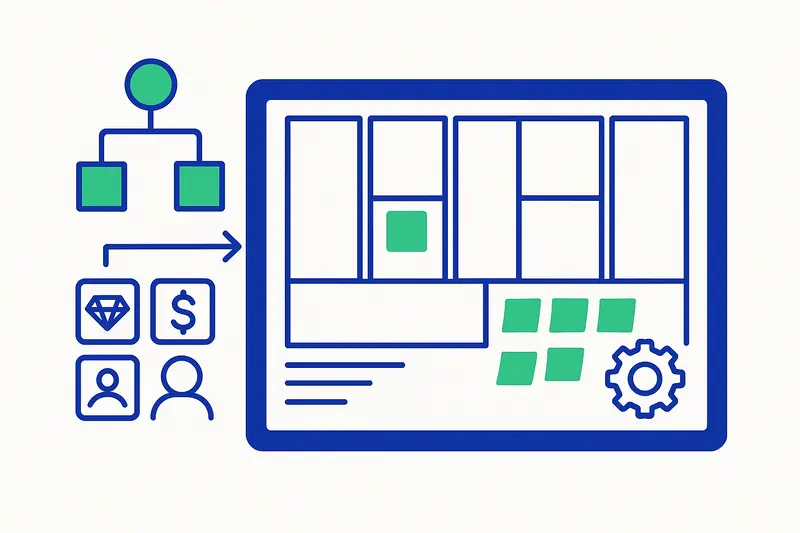
Open the tool and you’ll see a clean 9-block grid layout. Each section represents a key part of your business. Don’t worry—it’s easier than it looks. Let’s take it one step at a time.
Step 2: Define Customer Segments
What to Enter: Who are your ideal customers?
Tips: Be specific. Think: demographics, pain points, behavior.
Example: “Tech-savvy young professionals (ages 25–35) in urban areas seeking sustainable meal solutions.”
Step 3: Shape Your Value Propositions
What to Enter: What makes your offering valuable?
Tips: Focus on outcomes, not just features.
Example: “Ready-to-cook meals that save time, come in eco-friendly packaging, and taste gourmet—all at an affordable price.”
Step 4: Select Your Channels
What to Enter: How do you deliver value to your customers?
Tips: Include digital, physical, and partner-driven paths.
Example: “E-commerce website, TikTok campaigns, farmers markets, and health food store partnerships.”
Step 5: Define Customer Relationships
What to Enter: What type of relationship will you establish?
Tips: Choose personal, automated, or community-driven formats.
Example: “Live chat support, recipe newsletters, loyalty program, and an online forum.”
Step 6: Identify Revenue Streams
What to Enter: How does your business make money?
Tips: Go beyond sales—include subscriptions, licensing, and more.
Example: “Weekly subscriptions, one-time ingredient kits, premium recipe content.”
Step 7: List Key Resources
What to Enter: What assets are essential?
Tips: Include physical, intellectual, human, and financial capital.
Example: “Kitchen space, chefs, recipe software, delivery vans, seed funding.”
Step 8: Map Key Activities
What to Enter: What must your business do to succeed?
Tips: Think operations, production, and marketing.
Example: “Meal planning, sourcing ingredients, preparing meals, logistics, and social media marketing.”
Step 9: Define Key Partnerships
What to Enter: Who are your essential external allies?
Tips: Think suppliers, collaborators, and service providers.
Example: “Local farms, packaging suppliers, delivery companies, and influencer partners.”
Step 10: Understand Your Cost Structure
What to Enter: What are your main expenses?
Tips: List both fixed and variable costs.
Example: “Ingredients, rent, labor, delivery, advertising, and packaging.”
Final Step: Refine, Reset, or Download
As you build, the tool provides real-time feedback.
✅ Review: Ensure your strategy is cohesive.
♻️ Reset Canvas: Start fresh with a click.
💾 Download as Text: Save and share your full canvas.
Why Your Business Model Canvas Matters
Once filled out, your canvas becomes a powerful strategic asset:
Spot Gaps – Identify areas that need work.
Discover Opportunities – Find unexpected synergies or new revenue paths.
Communicate Clearly – Easily explain your business to investors or team members.
Test & Iterate – Make smart decisions before investing real money.
Take Control – Gain confidence in every area of your business.
Frequently Asked Questions (FAQ)
What is a Business Model Canvas?
A visual tool that outlines key aspects of your business—value, customers, revenue, and operations—on a single page.
Is this builder right for my business type?
Absolutely! It’s designed for startups, LLCs, and even established businesses launching new ideas.
Will my information be saved?
Yes—your input is automatically stored in your browser. No logins or downloads required.
Can I print my canvas?
You can download your entire canvas as a text file. Print it, share it, or paste it into any document.
I’m stuck—what should I do?
Use the built-in tooltips (look for the ❓icon) and starter examples in each field to guide you.